We've moved!
This article now lives at our new Help Center and the copy below may be out of date.
→ Go to the updated article
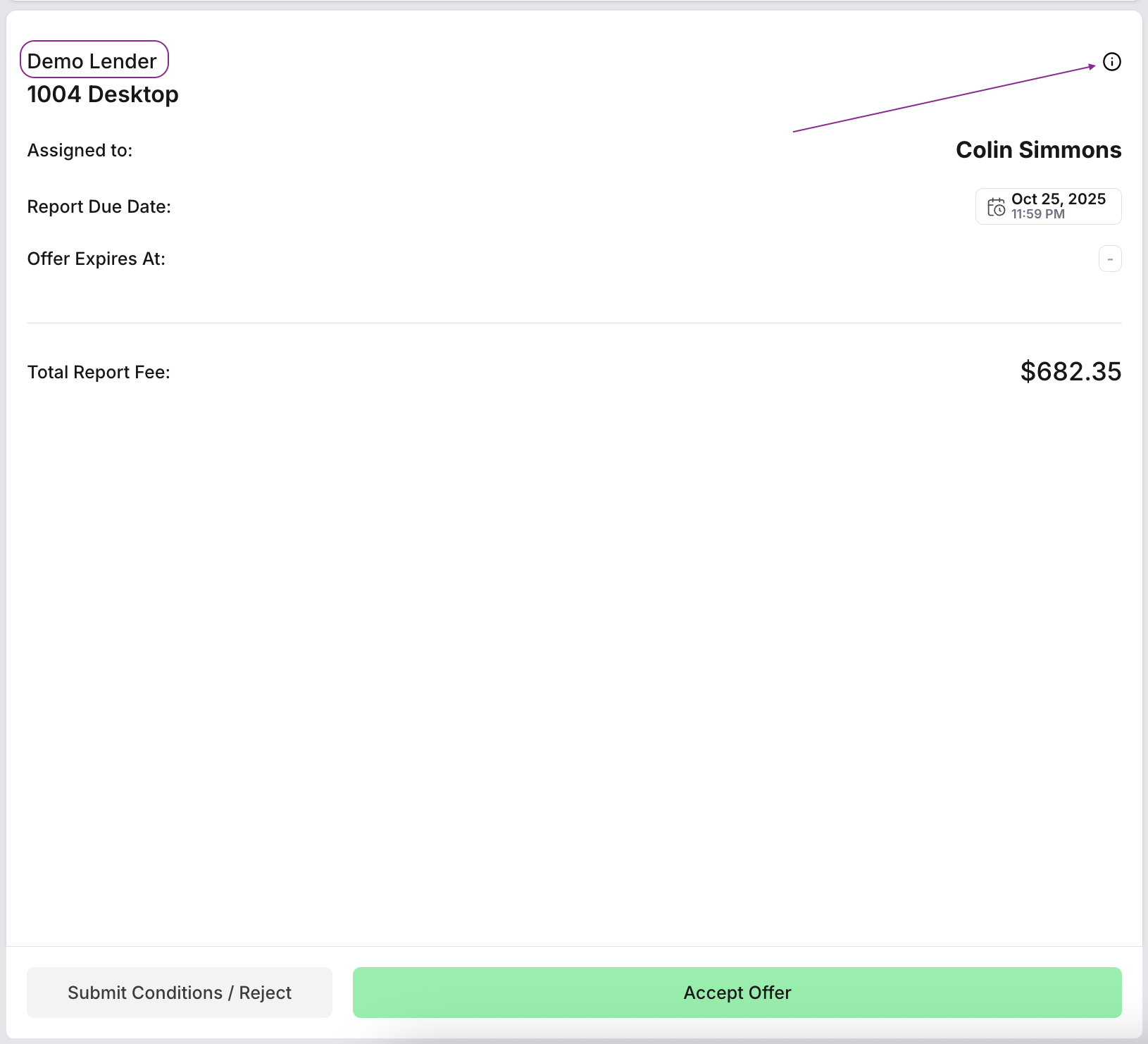
On the offer page, you'll find the lender's name displayed in the header next to the product type. For more details, simply click the small information (i) icon beside the lender's name.
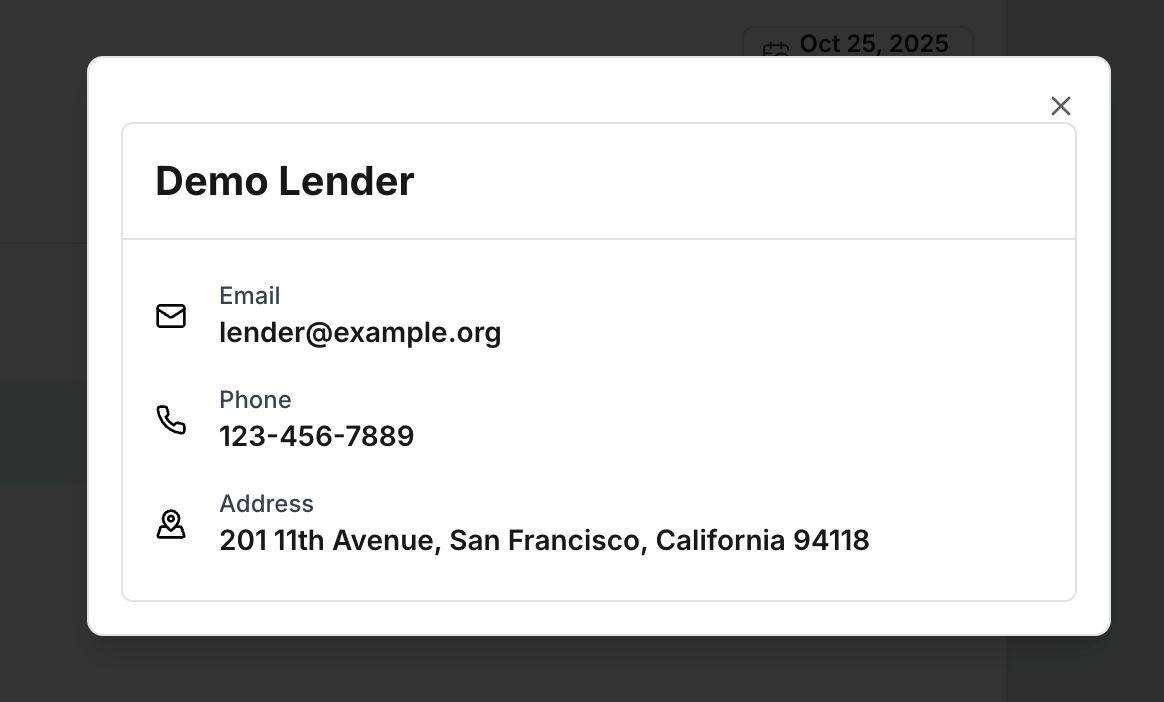
In the dialog, you'll find the lender's key contact information, including email, phone number, and mailing address - so you know exactly how to reach them.
In addition to basic contact details, the lender’s information can also include upcoming lender holidays and any files shared with the assignment.
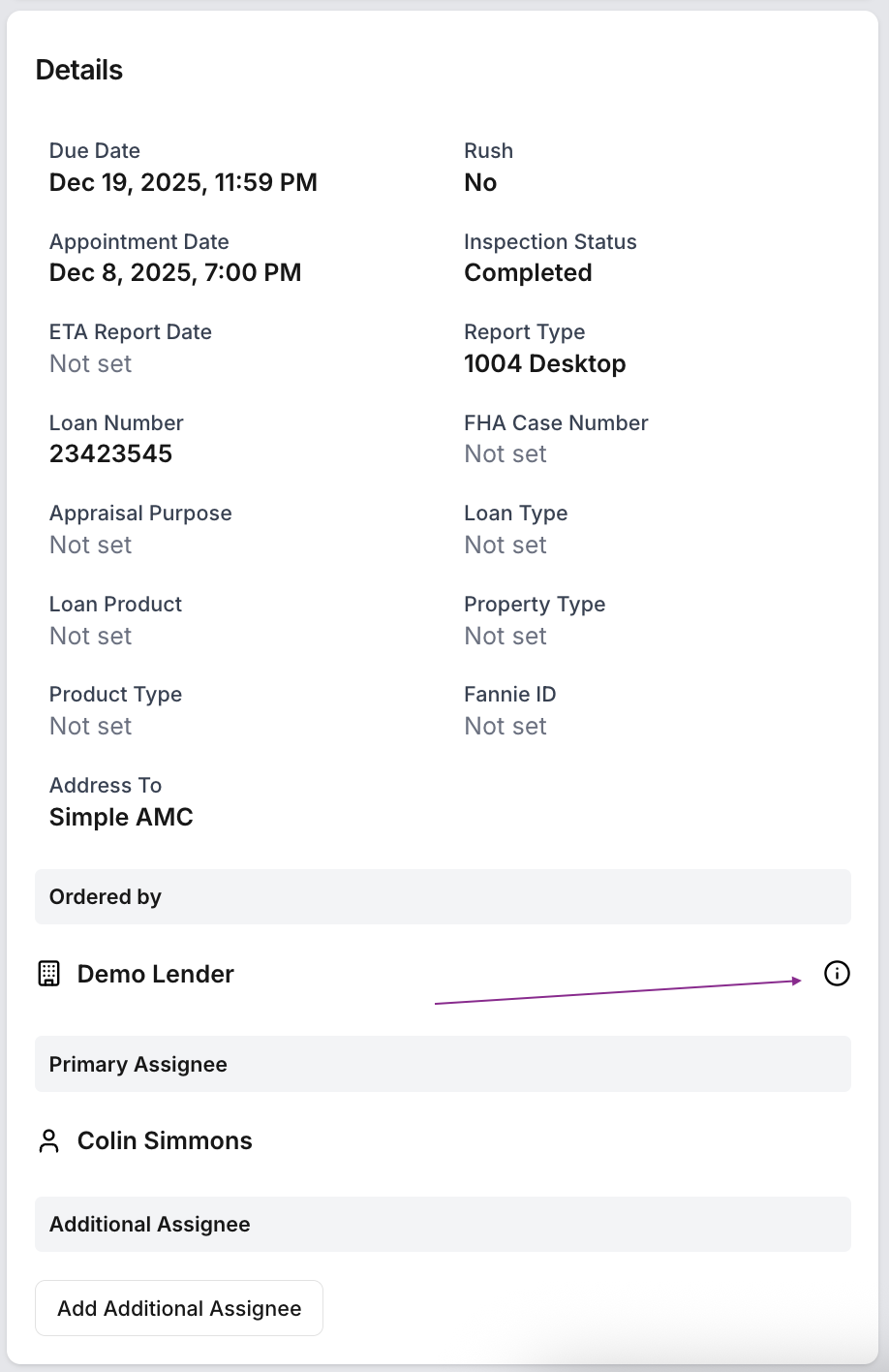
Additionally, you'll find this information on the assignment page, under Assignment Details.
Was this article helpful?
That’s Great!
Thank you for your feedback
Sorry! We couldn't be helpful
Thank you for your feedback
Feedback sent
We appreciate your effort and will try to fix the article