We've moved!
This article now lives at our new Help Center and the copy below may be out of date.
→ Go to the updated article
If you need to propose new terms for an appraisal assignment - such as a different fee or due date - here's how you can submit a condition offer.
1. Review the Offer Details
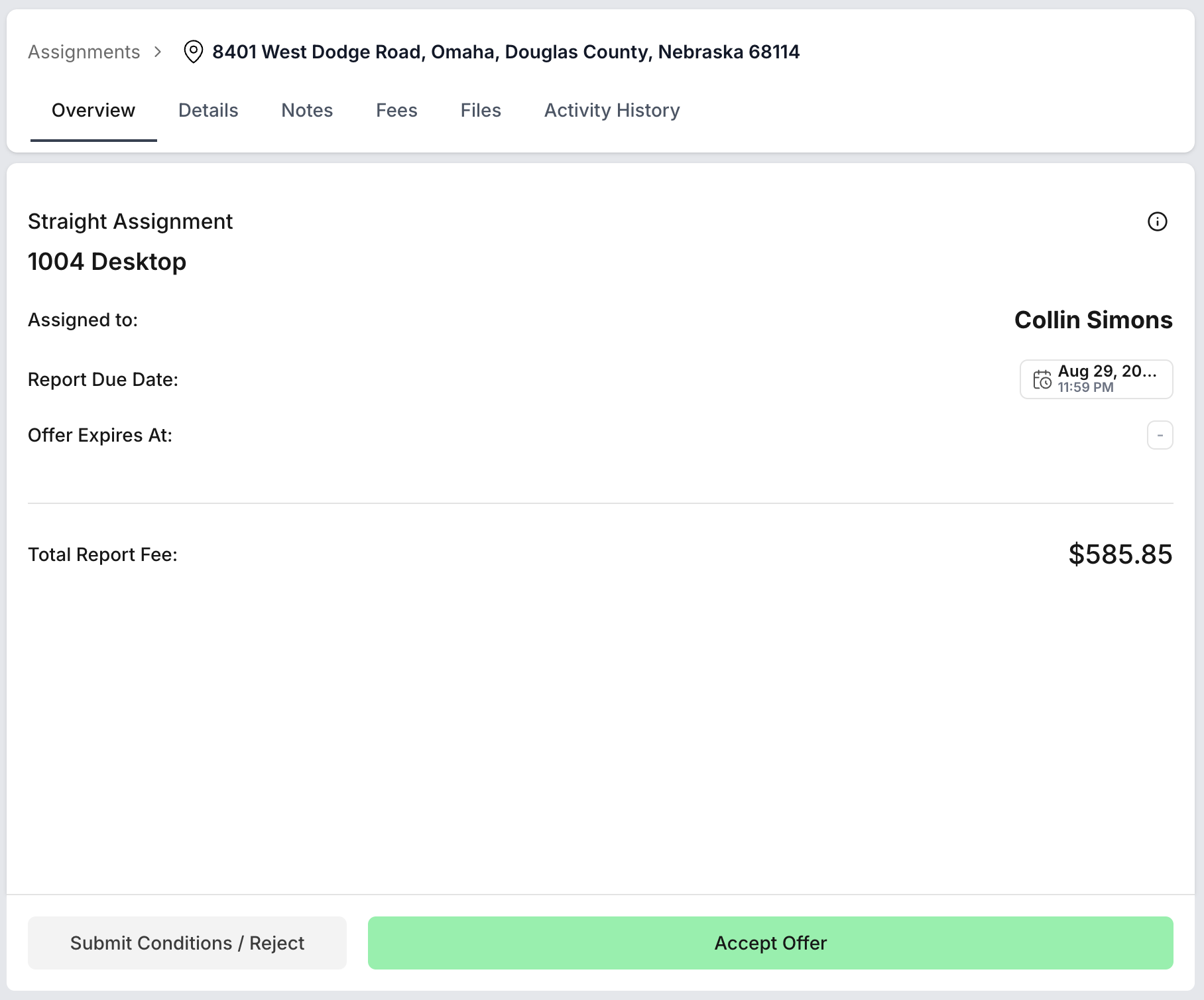
Navigate to the assignment offer overview. Check the assignment details and fee.
Review any special instructions if available.
2. Initiate the Proposal for New Terms
Click the “Submit Conditions/Reject” button to open the “Propose New Terms” dialog.
3. Enter Your Adjustment Details
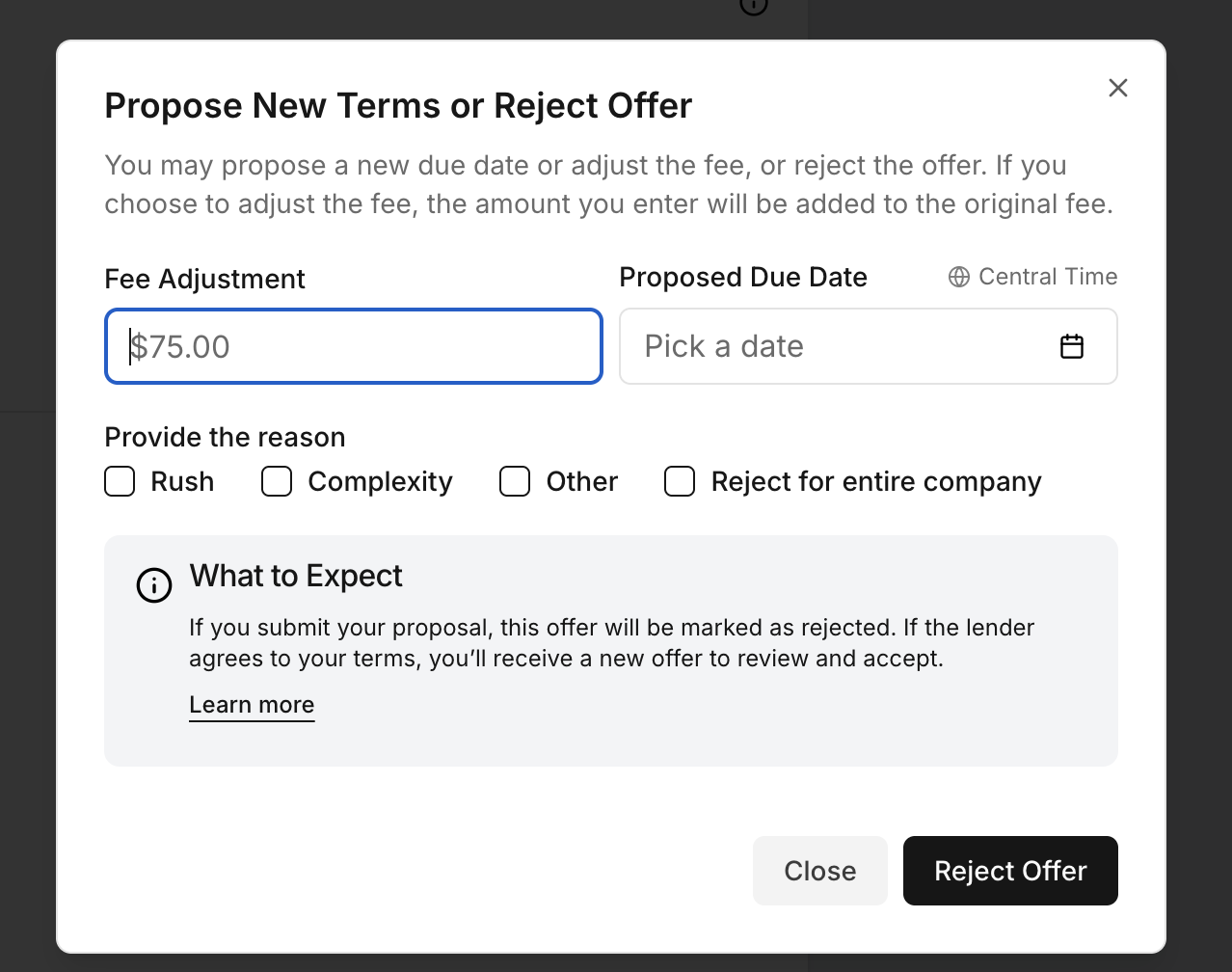
Fee Adjustment: Input the additional amount you believe is justified.
- Proposed Due Date: Set a due date that reflects the new timeline you need. You can select a new due date, depending on your availability and the requirements of the assignment.
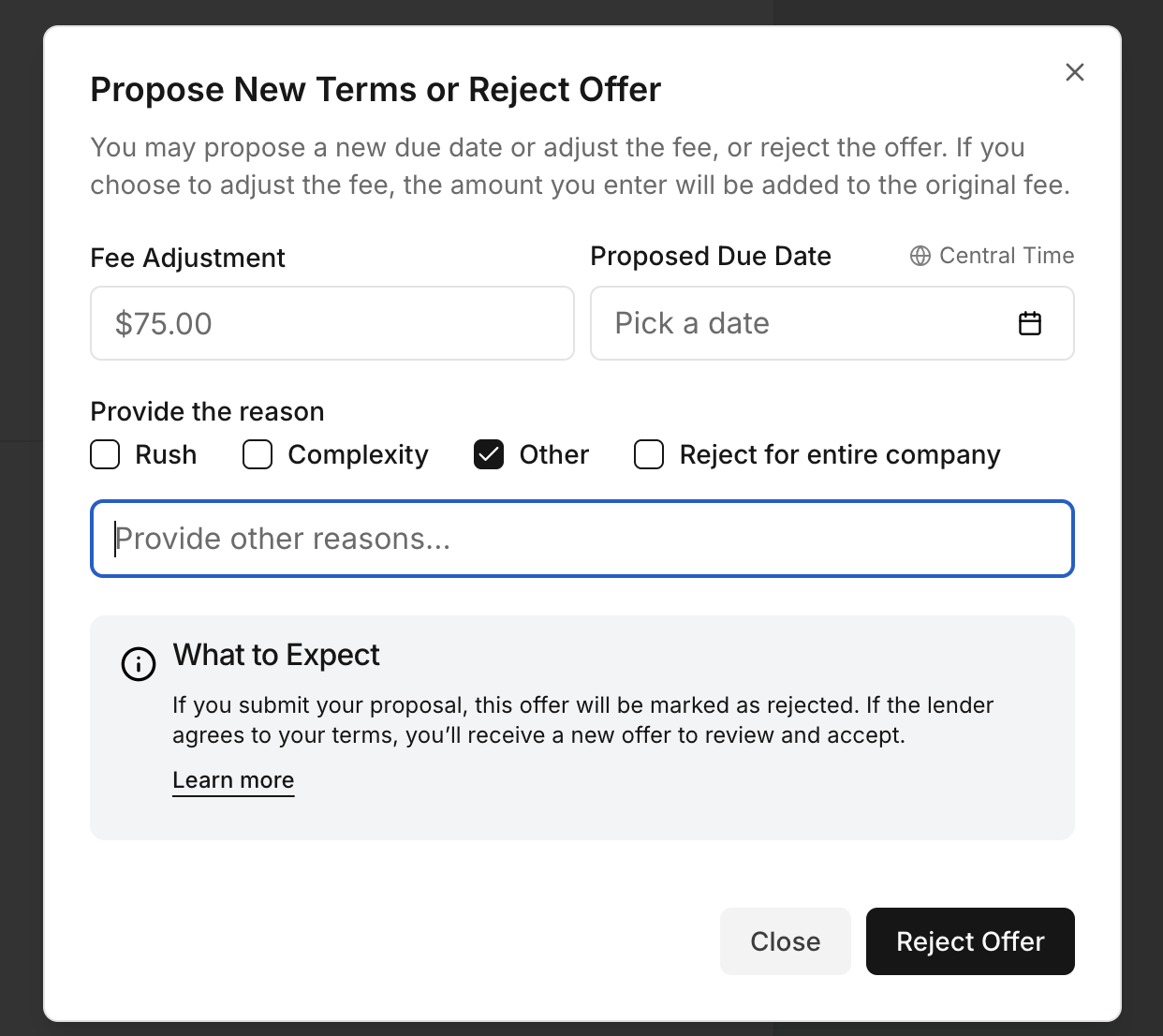
Reason for Changes: Select the reason or select Other to add more detailed description.
4. Submit Your Proposal
Once you’ve completed all fields, click the “Reject and Submit Conditions” button.
You can also choose to close the window if you decide not to proceed.
5. What next?
When you submit new terms, the original offer is rejected.
- If the lender agrees to your proposed conditions, you will receive a new offer email reflecting your updated terms, which you can then review and accept. You do not need to contact the lender directly.
6. To Reject an Offer
- Select reason or Other
- Enter your explanation in the provided field, if Other selected
- If you have the administrator role, you may select Reject for entire company to decline this offer on behalf of all appraisers in your company, and no other appraisers at your company will receive this assignment as a new offer.
- Click Reject Offer button to confirm.
Was this article helpful?
That’s Great!
Thank you for your feedback
Sorry! We couldn't be helpful
Thank you for your feedback
Feedback sent
We appreciate your effort and will try to fix the article