Report Requirements are notes added by the underwriter or lender to communicate specific items that must be addressed in the report. These requirements exist to reduce back-and-forth revision requests by making expectations clear upfront.
Where to Find Them
Report Requirements appear in two places:
Offer Details page — visible before you accept the assignment, so you can review expectations prior to committing
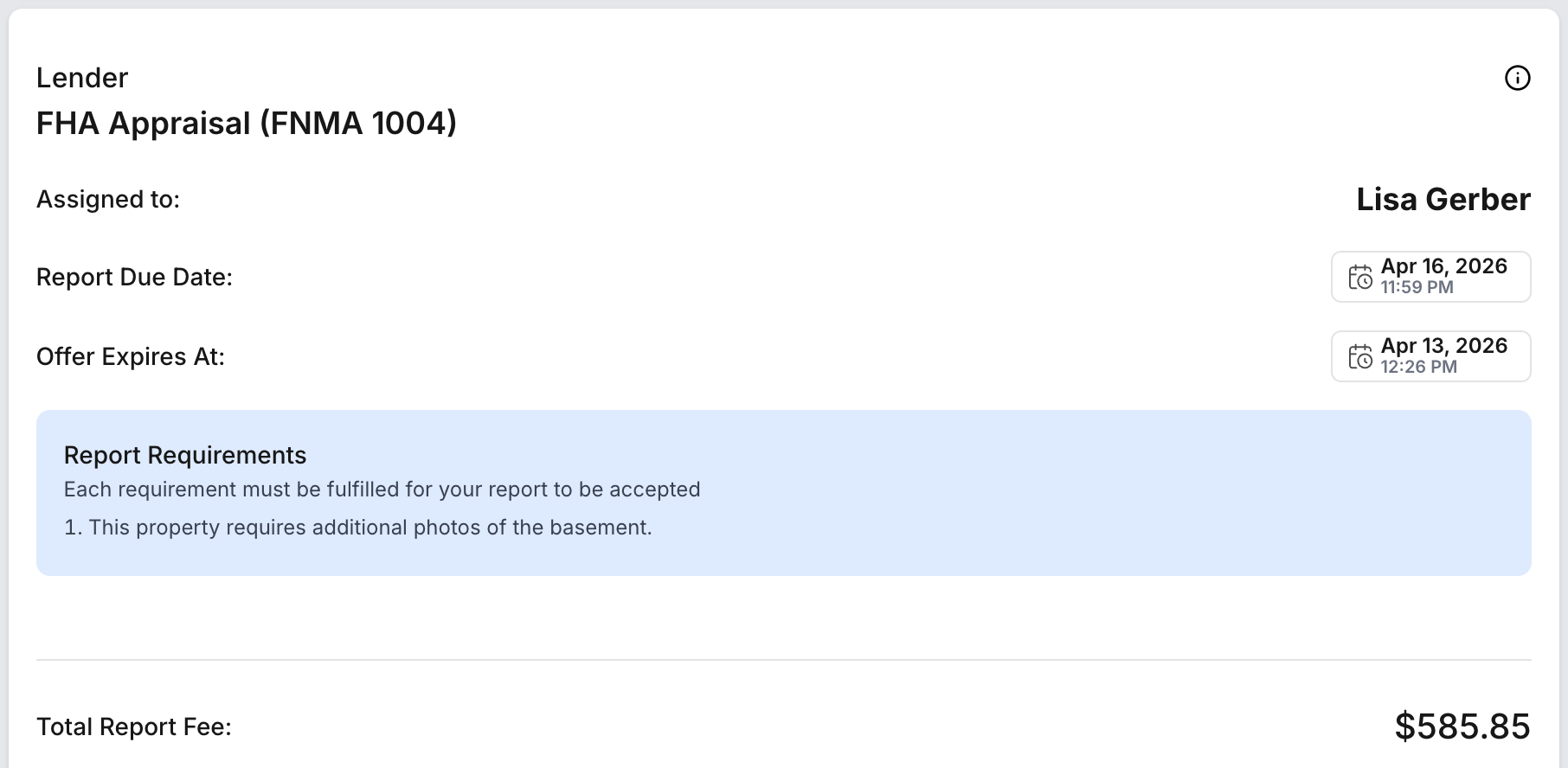
Assignment Details page — displayed under the Completed Reports section as a reference while you prepare and submit your report
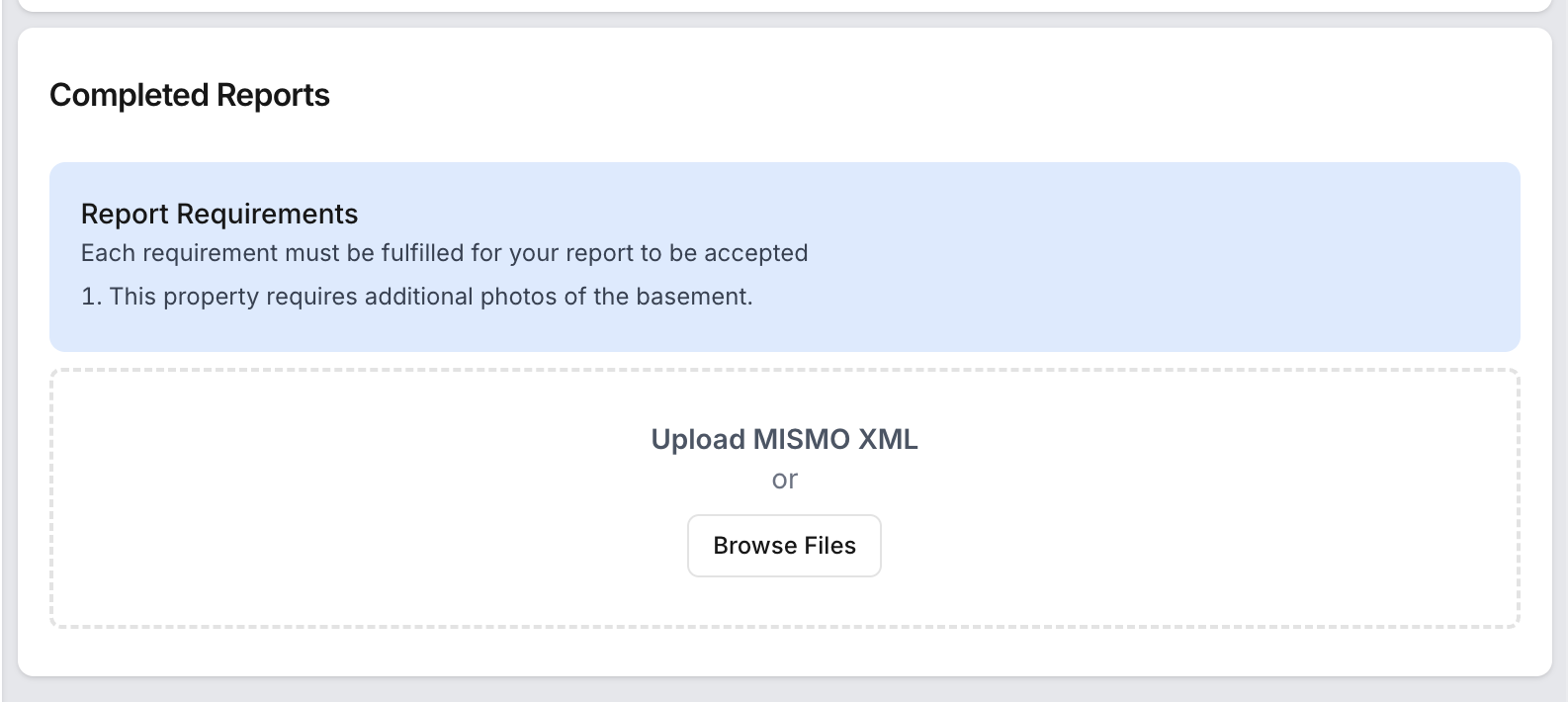
Acknowledging Requirements
When you begin uploading your report, a prompt will appear asking you to acknowledge that you have reviewed the Report Requirements. You must click I Acknowledge to proceed. This confirms you are aware of the listed items and have addressed them where applicable.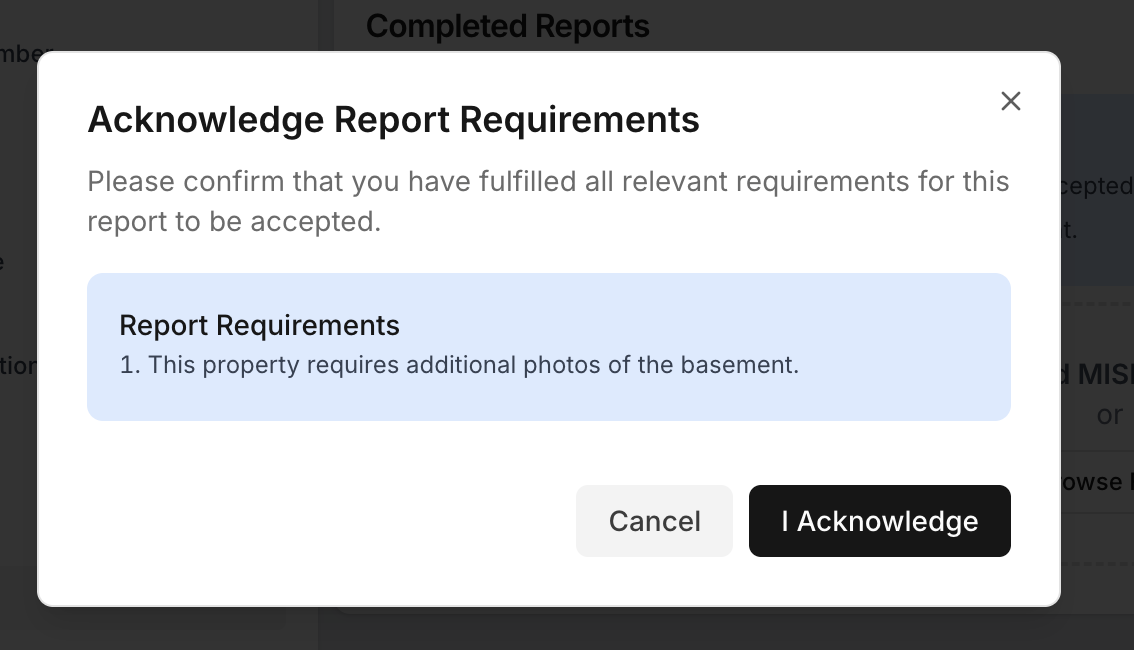
API users
If your company submits reports via the API, the acknowledgement step may require a configuration update. If you encounter issues submitting your report after Report Requirements have been added to an assignments, please contact your account administrator. They will likely need to make a small change to your integration to support this workflow.
Was this article helpful?
That’s Great!
Thank you for your feedback
Sorry! We couldn't be helpful
Thank you for your feedback
Feedback sent
We appreciate your effort and will try to fix the article