If a report submission encounters an error that cannot be resolved, the user can request a manual submission from the lender. This guide explains how the feature works and the steps to follow.
How to Use Request Manual Submission
When a report submission cannot be processed due to an error, the assignment’s report details page will display button Request Manual Submission.
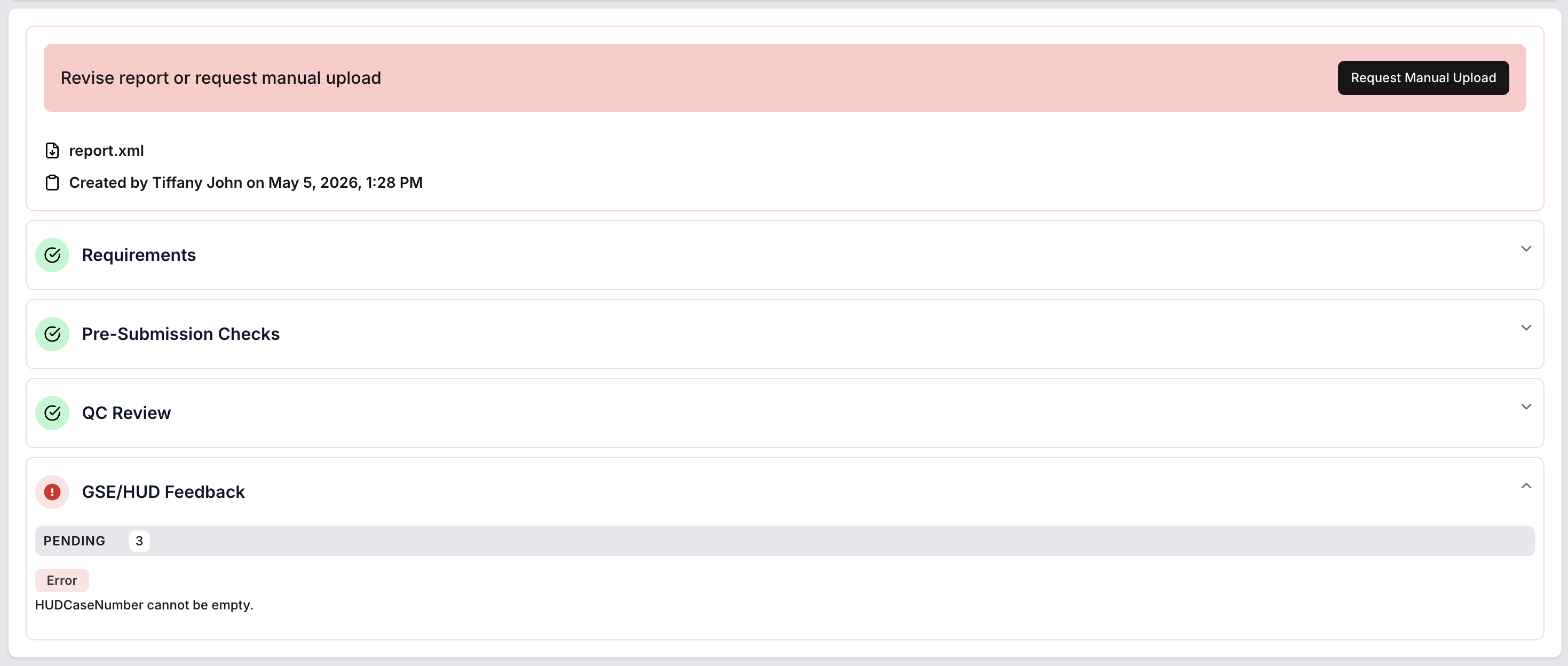
Clicking this button will open a dialog with instructions and a step-by-step guide.
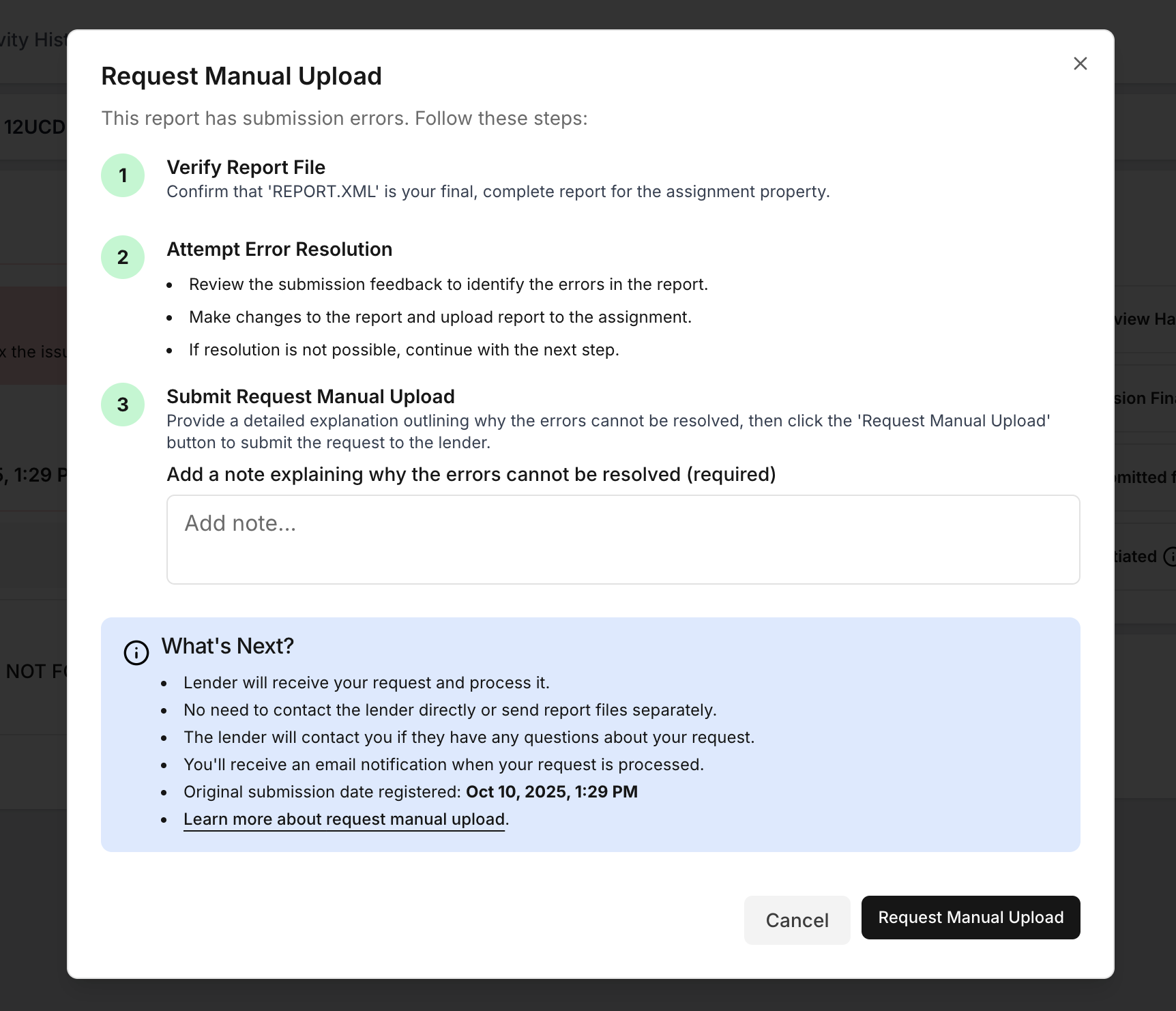
Steps to Proceed
Verify Your Report
Ensure your uploaded correct report file and it accurate and fully complete.Attempt to Resolve the Error
Review any system feedback and, if possible, make corrections to the report. If you can’t resolve the error, continue to the next step.
Refer to the examples below what errors require assistance, or what should be resolved.Add Note
Explain why error can be resolved and need manual upload assistance from lender.Request Manual Submission
Click the Request Manual Submission button in the dialog. Your lender will be automatically notified - no need to send emails or upload additional files.
When the manual upload request is received by the lender, the status will automatically change to "Manual Upload Requested".

Important Notes
You do not need to contact the lender directly or send files by email.
You will receive an email confirmation after your request is processed.
The system will capture the original submission date as the official upload time.
If further information is required, your lender will reach out to you.
Submission Error Examples
Here are common error types and how to handle them:
1. Hard Stop Errors (Must Be Corrected)
These errors must be fixed before you resubmit report. If you’re not sure what caused the error or how to fix it, carefully read the error message and review your report. Check all related sections and data fields to make sure everything is accurate and complete.
Example:
UCDP Error 9001 – Appraisal Data in Invalid Format
If MISMO XML or Form Type Error Occurs:
Resolve the Issue – Validate and fix XML formatting or report form mismatch, re-export in correct UCDP format, then resubmit.
Request Update – If you believe the form is correct, add an urgent note to the assignment asking the lender to review and update the report type in the order details.

Important:
Always verify the report type before submission. If the report type needs to be changed, request this from the lender before submitting via urgent note.
2. Duplicate Submission Error
If you see a Duplicate Submission Error, make sure all information such as the FHA case number or loan number is correct in the report, then request manual submission.

3. Failed Upload Errors
Possible Causes & Solutions:
Internet Connection Issues: Check your connection and try again.
Antivirus or Security Blockers:
Try uploading from another device or use a private/incognito browser window.
Temporarily disable antivirus/firewall (if safe).
If the issue persists, contact support at support@dwellingblocks.com.

4. Unexplained Errors
If you encounter an error with no clear explanation try upload report one more time or contact support@dwellingblocks.com for assistance.
5. Veros Submission Timeout
Wait a few minutes and try uploading your report again. This can be temporary issue.
If the issue persists, contact support at support@dwellingblocks.com.

| Error Type | Example/Error Code | What to Do |
|---|---|---|
| Hard Stop (Must Fix) | Example: UCDP Error 9001 | Validate XML, fix issues, ensure correct form, resubmit |
| Duplicate Submission | Duplicate Submission | Click Request Manual Submission |
| Failed Upload Errors | - | Upload again, check connection, adjust security settings |
| Unexplained Error | No clear message/code | Contact support@dwellingblocks.com |
| Failed submit to Veros (timeout) | Failed to submit to Veros: The HTTP request to ... | Try upload again, if persist contact support@dwellingblocks.com |
Was this article helpful?
That’s Great!
Thank you for your feedback
Sorry! We couldn't be helpful
Thank you for your feedback
Feedback sent
We appreciate your effort and will try to fix the article