Tasks make it easy to stay organized, keep your profile up to date, and never miss an important update. Here’s a quick guide to managing them.
Where to Find Your Tasks?
Tasks Page: Go to your Tasks to see everything you need to do.
Email Alerts: Anytime a new task is assigned, you’ll get an email with a direct link to it.
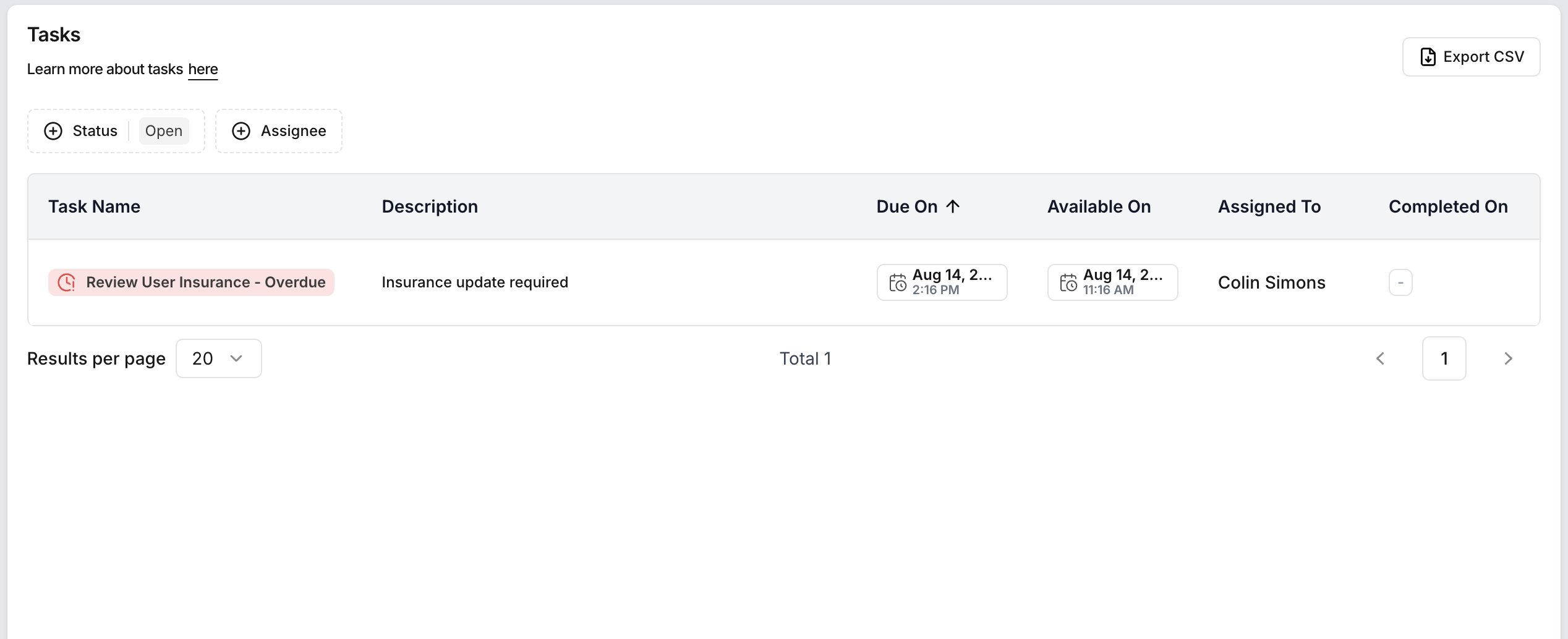
What Are Tasks?
Tasks are reminders and updates that help keep your profile active and ready for new assignments. They may include:
Profile Reminders – Update items like insurance, licenses, or other required documents.
New Report – Stay informed about new report types and choose whether to enable them.
News & Updates – Stay informed about new features in Dwelling Blocks.
Example: Update Insurance
If your insurance is expiring or expired, a task will help you to resolve it quickly:
Open the insurance task.
Update your insurance details by uploading your Insurance file or entering it manually.
Click “Update & Complete” to finish.
The task is marked complete, and your profile stays active for new assignments.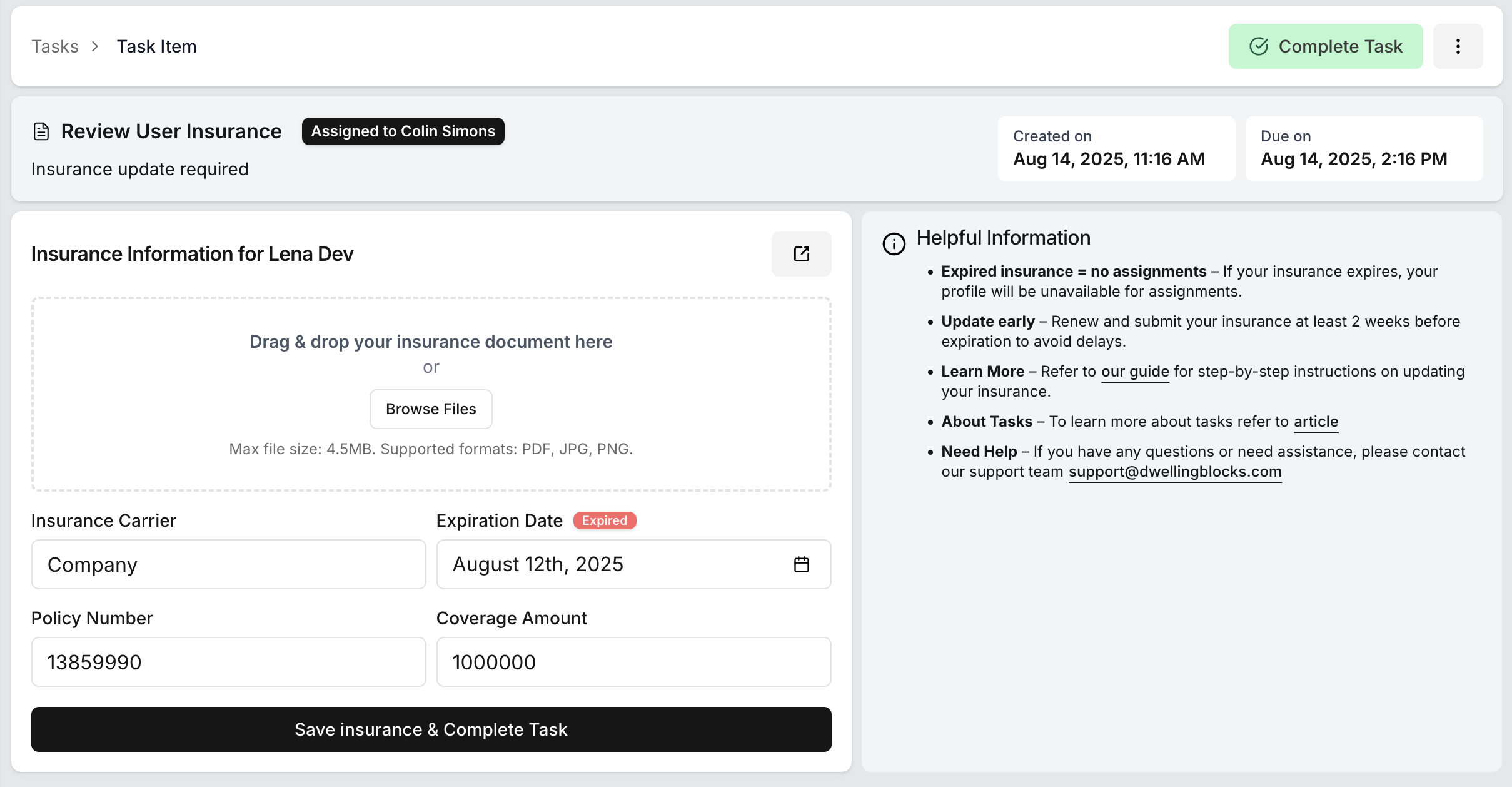
Was this article helpful?
That’s Great!
Thank you for your feedback
Sorry! We couldn't be helpful
Thank you for your feedback
Feedback sent
We appreciate your effort and will try to fix the article