If you require changes to your 1099 because of how you originally set up your ownership structure, for example to use a TIN instead of a SSN, you’ll need to update your Stripe account to make sure your tax information is reported correctly. Stripe uses your SSN for sole proprietors, but you can switch your company to an LLC which will then use your EIN/TIN on your 1099.
Instructions on How to Change Your Business Type to LLC
1. Go to Stripe Connect and log in.
2. Choose the Dwelling Blocks platform from your connected accounts.
3. Navigate to Settings → Business details, then click Edit.
4. Under Business type, select Company
5. Under Business Structure, select option matches your company (do NOT select “Single-Member LLC” or “Sole Proprietorship,” as doing so will cause your SSN to be used for the 1099.)
5. Click Save changes.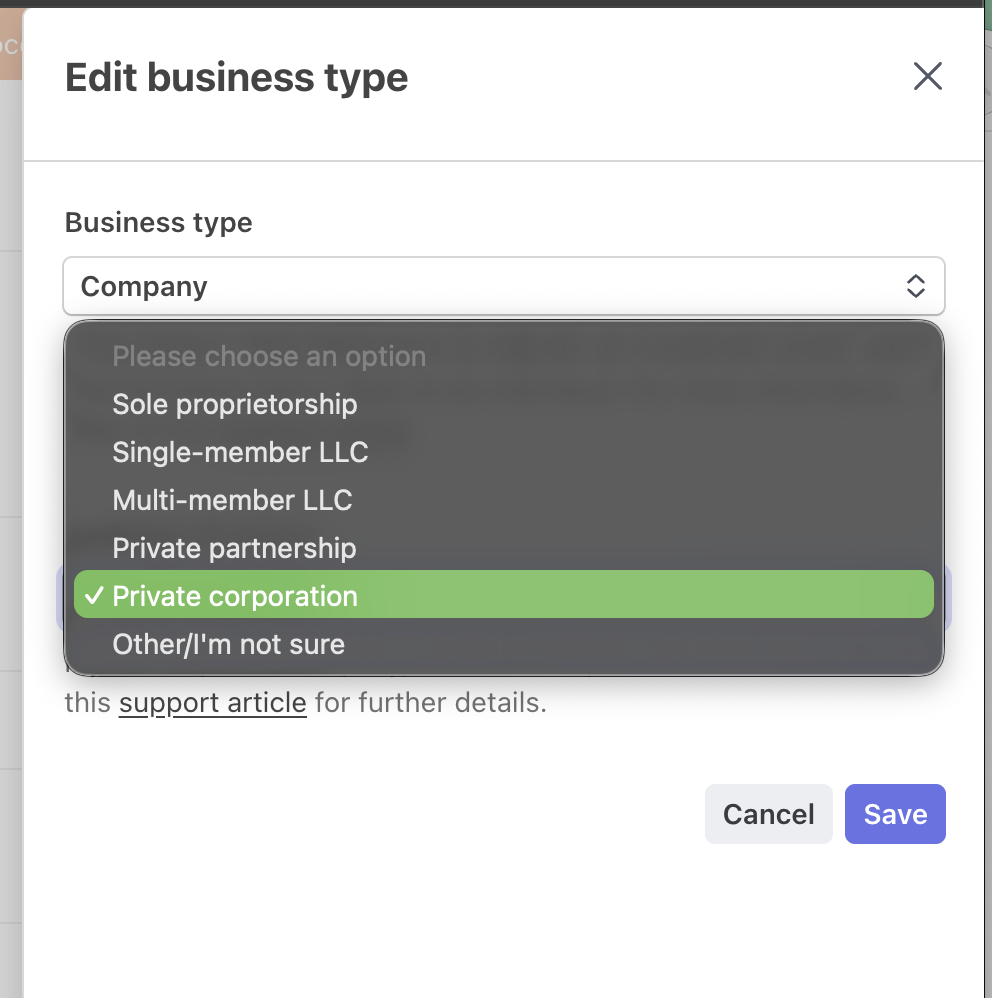
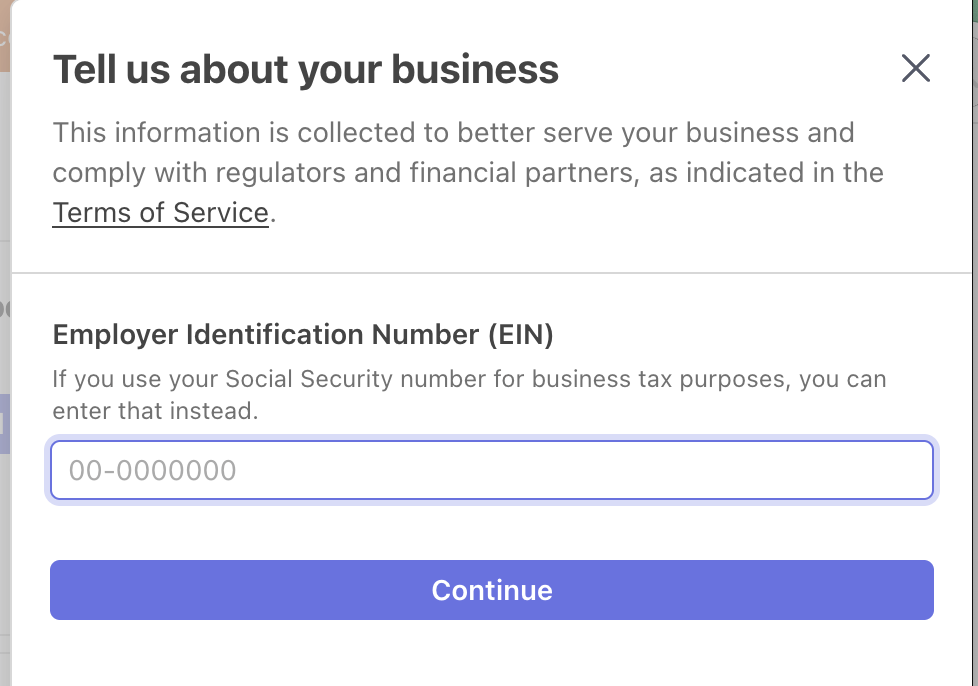
A banner will appear asking you to verify the update. Select Update, then provide your EIN/TIN to complete verification.

2. Update Your Company Name
In Business details, click Edit again and enter your company’s legal or DBA name exactly as it appears on your IRS Letter 147C or SS-4 form. Save the changes when done.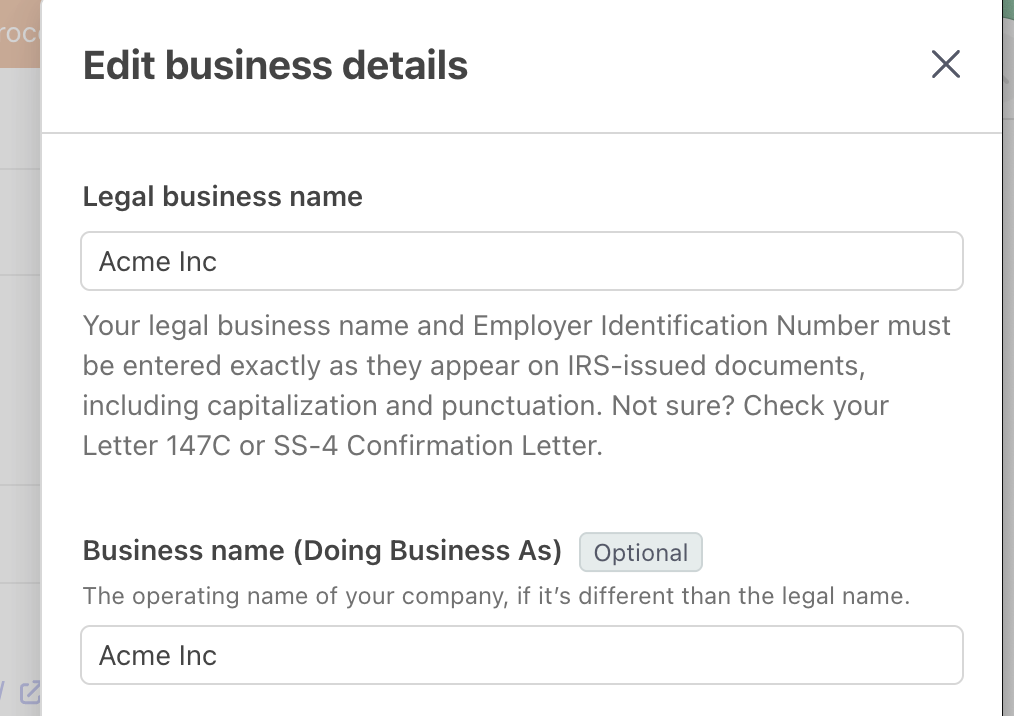

3. Reviewing or Correcting 1099 Forms
Before your next 1099 form is issued, make sure all your Stripe business details (name, TIN, and address) are accurate.
Once your updates are complete, email us at support@dwellingblocks.com with your updated W-9 form. Our support team will take care of issuing a corrected 1099 if needed.
Updating your Stripe details takes only a few minutes and helps ensure your year-end tax forms are accurate. If you run into any issues, our support team is always happy to help.
Was this article helpful?
That’s Great!
Thank you for your feedback
Sorry! We couldn't be helpful
Thank you for your feedback
Feedback sent
We appreciate your effort and will try to fix the article